E.g. IfcWorkSchedule.Duration wasn't recognized as such or IfcWorkSchedule.TotalFloat wasn't imported properly and was uneditable.

Now we also check IfcDuration type on attributes explicitly, instead of relying on hardcoded list
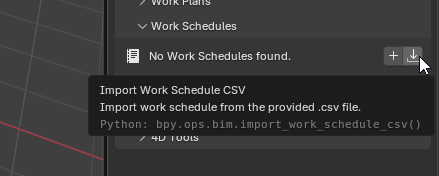
Location - https://files.catbox.moe/sxfxv4.png
To mirror the similar UI we have in 4d, this way feature will much easier to find than checking File->Import
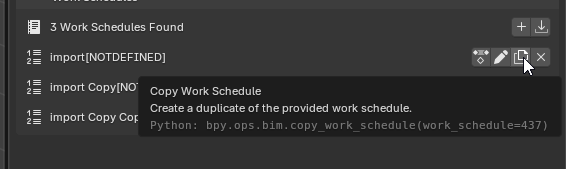
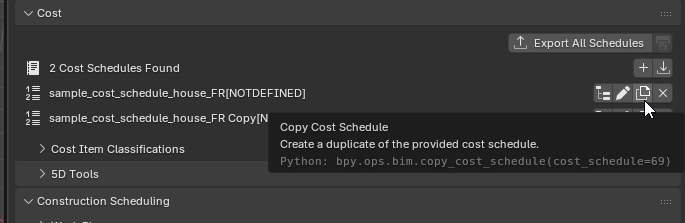
A feature allowing duplicate existing IfcCostSchedule - either from API or from Bonsai UI
Button location in Bonsai - https://files.catbox.moe/ct058q.png
After ba2456a if main IFC project had an offset and linked object had more than 333 faces, then it was imported at it's original location instead, missing an offset.

Also processing occurrences should be now more optimized, since we reuse the same verts buffer instead of recreating it 10 times.
* Export_IfcCostSchedule_to_PDF_improvements

* IfcCostSchedule CSV export: Added ItemIsASum column

New column in the ifc export that tracks if IfcCostItem is a sum, also added a new static method to the IfcDataGetter class.

* IfcCostSchedule CSV export: Added cost quantities column

Cost quantities are a serialsed list containing the name of the quantity and the quantity value.

* IfcCostScheduel PDF export: add options to fine tune export

New options include nested_structure_depth, should_print_cover, should_print_description, should_print_rates, should_print_summary, should_print_cost_ids.

Also pass project currency to typst (still not used).

Added footer with "proudly created with IfcOpenShell".

Updated Cover with formatting and IfcCostSchedule Description
Now we store in the IFC file list of active bsdd user was using in Bonsai.
So when you open IFC file it automatically marks dictionaries as active and there's no need to go to bsdd UI, unless there are new dictionaries to add/remove.

Example - https://files.catbox.moe/kzwa2n.mp4
Since we added lookup for multiple paths, it was failing with confusing "Could not find Bonsai path in expected locations" even if the problem was with BLENDER_PATH.
 Andrej730